The problem
The question you didn't ask in discovery is the one that kills the deal in procurement.
65%
of lost deals involve discovery gaps that should have been uncovered earlier.
(Thirdside Research)
How it works
Three steps, and nothing changes about how you take calls.
-
01
Connect Google Calendar
Under [PLACEHOLDER: 2] minutes. Your upcoming calls appear in Akana, ready to record.
-
02
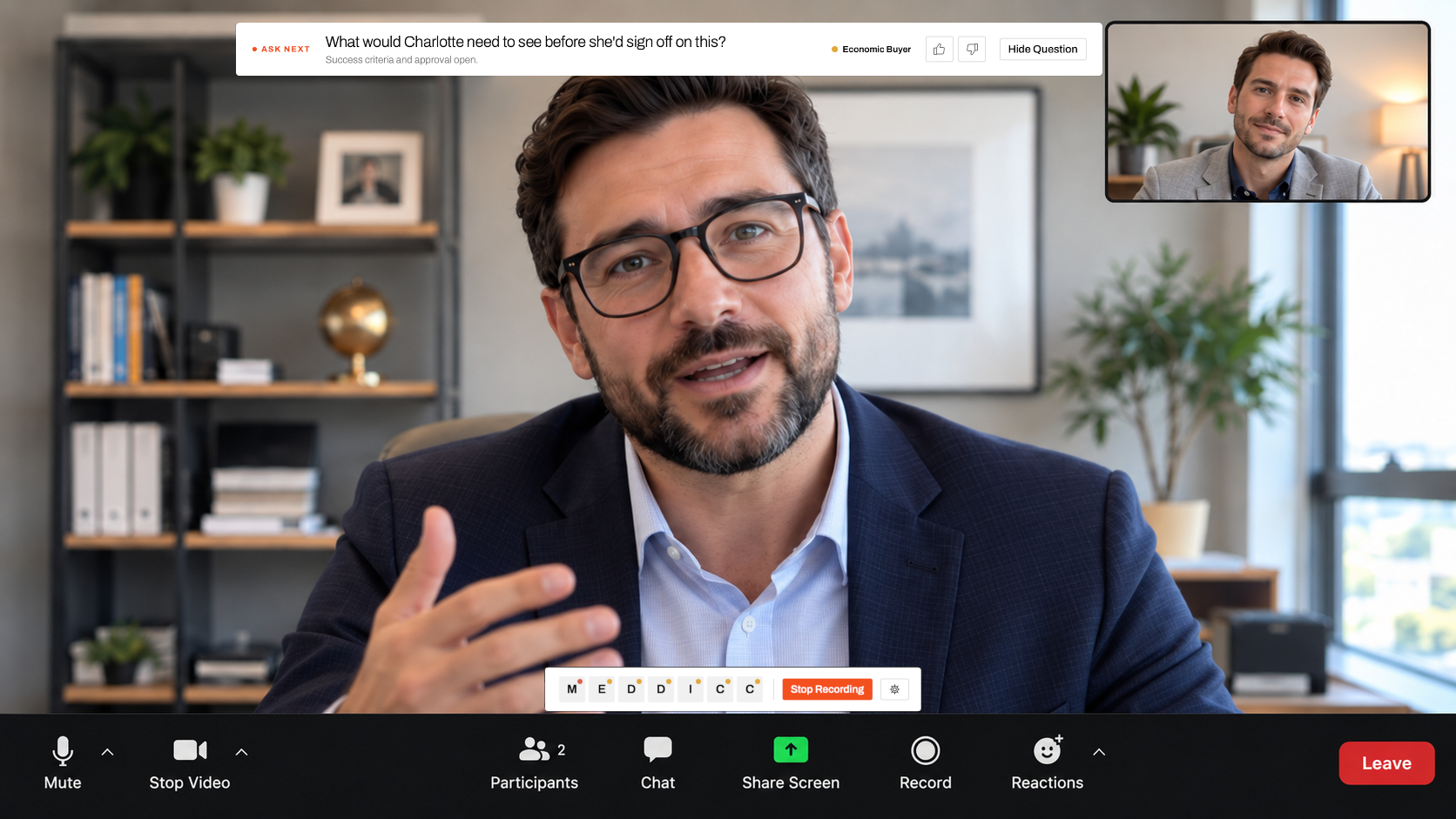
Press record on any call
No bot, no invite, nothing for the prospect to accept.
-
03
Watch your playbook fill in
Akana shows what's still open and the exact question to ask next.
Who it's for
Built for everyone who owns a deal.
-
Account executives
Stop finding out after the call that you never asked who signs.
-
Sales managers
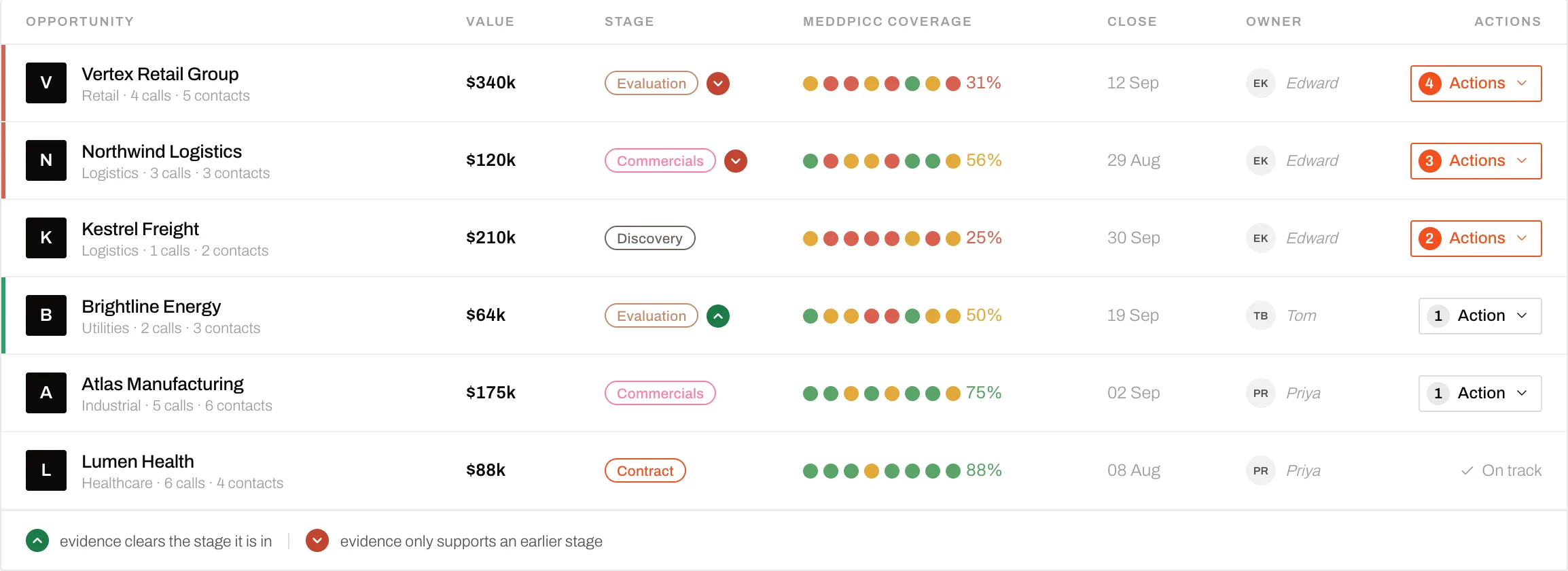
Open any deal and see which criteria are proven, and which are guesses, without a pipeline review.
-
Founder-led sales
Run MEDDPICC, or your own framework, on every call without memorising it.
Integrations
Works where you already work.
Any meeting app on your Mac, your Google Calendar and Gmail, and Claude through MCP.
Why Akana
Recording tools tell you what you missed.
Akana tells you while you can still ask.
Call recorders
- A bot joins the meeting
- Insights arrive after the call has ended
- You review the recording to find what you missed
Akana
-
No bot: the Mac app captures the call itself
-
Prompts you during the call
-
Shows the gap while you can still ask
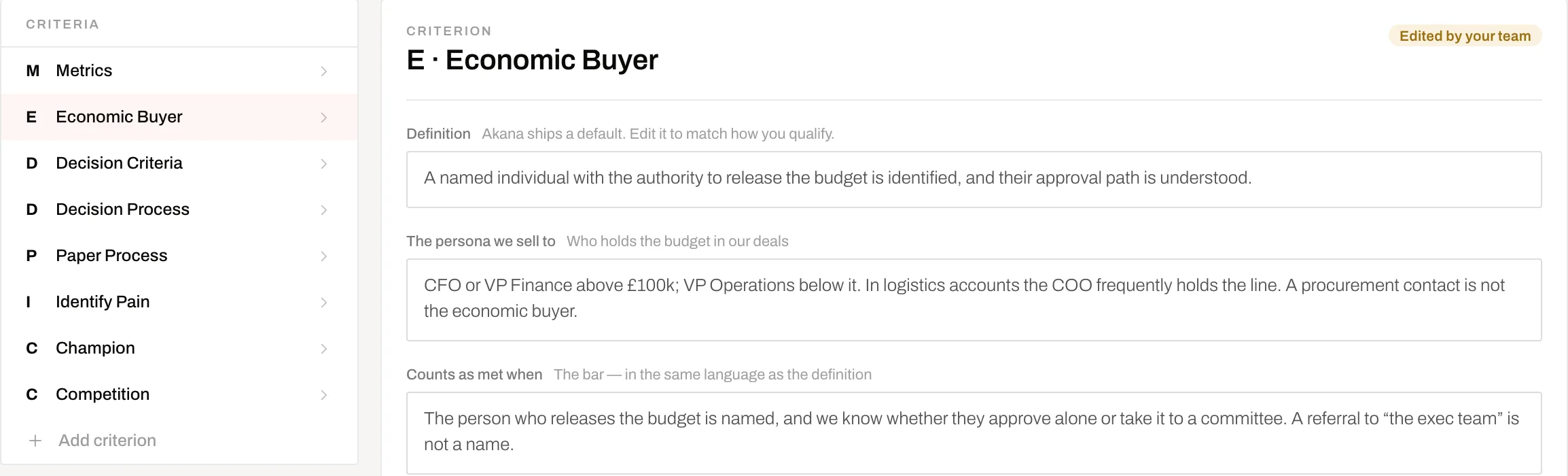
Graded against your playbook, defined the way your team qualifies.
Questions
What teams ask before they start.
- Does the prospect know they're being recorded?
- The rep confirms consent before every recording starts.
- Will it distract me mid-call?
- Akana shows the guidance a small panel. You glance, you don't read.
- Does it work with Zoom, Meet and Teams?
- Yes. Akana captures the audio of any meeting app on your Mac.
- Which calendar and email does it support?
- Google Calendar and Gmail today.
- Where does our call data go?
- Encrypted in transit and at rest. We keep only what you choose to save, and anything you delete is permanently erased.
- Is it another tool to learn?
- There's nothing to learn on the call.
You talk, and Akana fills in the playbook.
Early access
Become a design partner.
Request early access
We're working closely with elite sales teams to shape Akana.
Free during early access, in exchange for honest feedback.
See your next call's open criteria before it ends.